Useful Toolkit
Useful Toolkit
How to use ZAP/Burp Suite/mitmproxy as Proxy for Android
How to use ZAP/Burp Suite/mitmproxy as Proxy for Android
Identifying vulnerabilities of SSL/TLS certificate verification in Android apps with static and dynamic analysis
Identifying vulnerabilities of SSL_TLS certificate verification in Android apps with static and dynamic analysis
Network Related
Network Related
有關Pentest但貢獻很爛的三篇論文
English Writing Vocabulary
English Writing Vocabulary
Linux Related
root folder底下的folder
1 | |
- /bin 放的是:ls, cp, mv, cat, bash
- /sbin
1
2
3
4
/usr/sbin/reboot /usr/sbin/fsck /usr/sbin/mount /usr/sbin/ip通常 root 才會用。
- /boot
- Linux kernel
- initramfs
- grub 設定
例如:
1
2
/boot/vmlinuz /boot/grub/如果這壞掉 → 系統開不起來。
- /dev
1
2
3
4
/dev/sda 硬碟 /dev/null 黑洞 /dev/random 隨機數 /dev/tty 終端機 - /etc
1
2
3
4
/etc/passwd /etc/shadow /etc/hosts /etc/ssh/sshd_config -
/home
你自己的檔案都在這裡。
1
2
/home/alice /home/bob -
/lib
程式執行時會載入這些。你在做 pwn 時常會碰到
libc1
/lib/x86_64-linux-gnu/libc.so.6 - /usr
1
2
3
/usr/bin /usr/lib /usr/share -
/var
做取證會常看這裡。
1
2
3
4
5
/var/log /var/log/auth.log /var/log/syslog /var/www /var/lib -
/tmp
任何人都能寫。通常會定期清空。很多惡意程式會丟 payload 在這。
-
/proc
pwn 會常用。
1
2
3
4
5
/proc/1 /proc/self /proc/cpuinfo /proc/meminfo $ cat /proc/self/maps - /sys
1
2
/sys/class/net /sys/block - /opt
1
2
/opt/google /opt/custom_app - /mnt /media
1
2
/mnt 手動掛載 /media USB 自動掛載
What is .so file?
資料來源: 在Linux中.so和.a檔有什麼差別?
副檔名為” .so”的檔案是dynamically linked shared object libraries,簡稱為shared objects、shared libraries或shared object libraries。Shared object libraries在執行時動態載入。Shared object libraries並不是應用程式的一部分,但它們在編譯過程中必須可用取用。一般來說,shared object libraries類似於Windows電腦上的DLL檔。 舉例來說,NI-VISA驅動程式就是使用Shared object libraries。
x86、x86_64/x64、amd64和arm64/aarch64
資料來源: 【CPU】關於x86、x86_64/x64、amd64和arm64/aarch64
- x86=i386=IA32: 是指intel的開發的一種32位指令集,從386開始時代開始的,一直沿用至今,是一種cisc指令集,所有intel早期的cpu,amd早期的cpu都支持這種指令集,intel官方文檔里面稱為“IA-32”
- x86_64=x64=AMD64: 是x86 CPU開始邁向64位的时候
- ARM: (英文為Advanced RISC Machine,或Acorn RISC Machine)也是一個架構,非常適用於移動通信這種低成本,高性能,低耗電的領域。 AArch64=ARM64: 是ARMv8的一種執行狀態。為了更廣泛地向企業領域推進,需要引入 64 位構架,同時也需要在 ARMv8 架構中引入新的 AArch64 執行狀態。AArch64 不是一個單純的 32 位 ARM 構架擴展,而是 ARMv8 內全新的構架,完全使用全新的 A64 指令集。
Linux 0, 1, 2, 2>&1
資料來源: Linux 裡的文件描述符 0,1,2, 2>&1 究竟是什麼
/dev/null 表示空設備文件 0 表示stdin標準輸入 1 表示stdout標準輸出 2 表示stderr標準錯誤
- 2>1和2>&1的寫法有什麽區別: 2>1的作用是把標準錯誤的輸出重定向到1,但這個1不是標準輸出,而是一個文件!!!,文件名就是1 2>&1的作用是把標準錯誤的輸出重定向到標準輸出1,&指示不要把1當作普通文件,而是fd=1即標準輸出來處理。
- command>a 2>a 與 command>a 2>&1的區別 通過上面的分析,對於command>a 2>&1這條命令,等價於command 1>a 2>&1可以理解為執行 command 產生的標準輸入重定向到文件 a 中,標準錯誤也重定向到文件 a 中。那麽是否就說command 1>a 2>&1等價於command 1>a 2>a呢。其實不是,command 1>a 2>&1與command 1>a 2>a還是有區別的,區別就在於前者只打開一次文件a,後者會打開文件兩次,並導致 stdout 被 stderr 覆蓋。&1的含義就可以理解為用標準輸出的引用,引用的就是重定向標準輸出產生打開的 a。從IO效率上來講,command 1>a 2>&1比command 1>a 2>a的效率更高
- 為何2>&1要寫在後面? index.php task testOne >/dev/null 2>&1 我們可以理解為,左邊是標準輸出,好,現在標準輸出直接輸入到/dev/null中,而2>&1是將標準錯誤重定向到標準輸出,所以當程序產生錯誤的時候,相當於錯誤流向左邊,而左邊依舊是輸入到/dev/null中。 可以理解為,如果寫在中間,那會把隔斷標準輸出指定輸出的文件
Daemon是什麼
資訊來源: 第十七章、認識系統服務 (daemons)
簡單的說,系統為了某些功能必須要提供一些服務 (不論是系統本身還是網路方面),這個服務就稱為 service 。 但是 service 的提供總是需要程式的運作吧!否則如何執行呢?所以達成這個 service 的程式我們就稱呼他為 daemon 囉! 舉例來說,達成循環型例行性工作排程服務 (service) 的程式為 crond 這個 daemon 啦!這樣說比較容易理解了吧!
要怎麼看netstat
1 | |
有分兩個區塊Internet connections & UNIX domain sockets
Internet connections: host對外的服務,主要看LISTEN這個state,正在等別人連線,ESTABLISHED則是已經建立的連線,Local Address可以看到[::]:ssh表示只要外部連線:20,就會ssh connection,並且允許任何其他人連線([::]:*),如果Foreign Address為0.0.0.0:*代表這個service只允許這個host本身queryUNIX domain sockets: 這個代表本機內部通訊(process ↔ process)
這才是真實的巴勒斯坦
這才是真實的巴勒斯坦:以色列殖民、種族隔離下的抵抗與希望
- 作者: 王冠云(Cynthia Wang)
- 出版社: 時報出版
- 出版日期: 2022/11/01
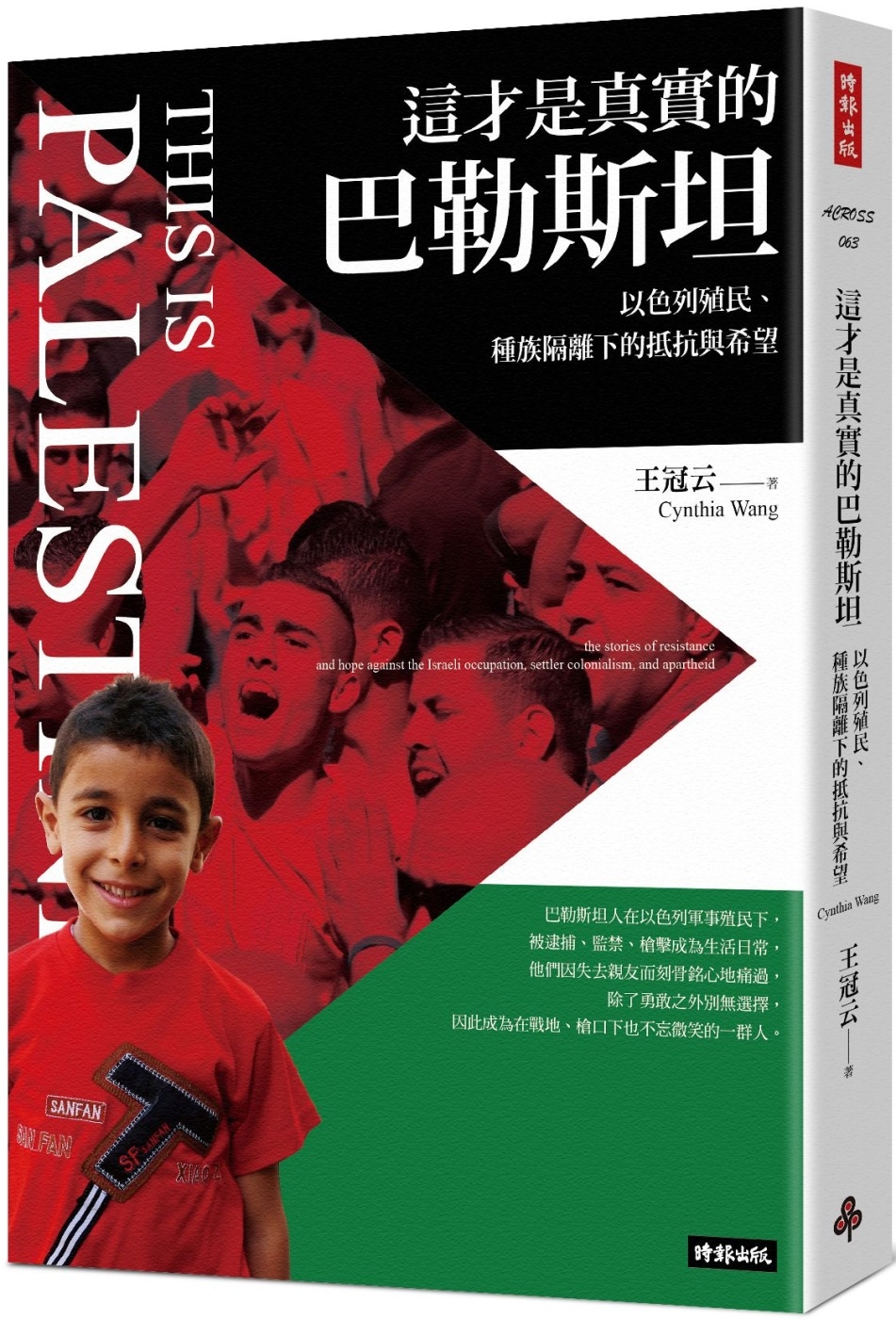
這一本書的觀點完全是站在巴勒斯坦角度描述以巴現況,也正是我想要尋找的書籍,不過書中較少提到歷史的脈絡,或甚至是為甚麼前因後果,而專注於眼前的巴勒斯坦,所以如果想要非常清楚的了解從早期以色列的動機、戰爭的起因等等,可能不太適合,但取而代之的是用堅強卻不透露情緒的字句,鏗鏘的描述巴勒斯坦地區人民受到的迫害,以及詳實的描述採訪的人事物並且參與其中的生活、文化,不只是因為作者 - 王冠云的先生是位巴勒斯坦人,更是為了以巴之間不平等的世界地位與資訊掌握度,所做出的”相對”平衡的記實
北歐神話
北歐神話:神族、巨人、符文與世界之樹的冰火起源
- 作者: 何鵬
- 出版社: 漫遊者文化
- 出版日期: 2021/03/08

Test Sieve by MobSF
Test Sieve by MobSF
Drozer/MobSF Installation
Drozer/MobSF Installation
Test Sieve - services exported
Test Sieve - services exported
Test Sieve - is debuggable
Test Sieve - is debuggable
Test Sieve - content providers exported - File SystemBased
Test Sieve - content providers exported - File SystemBased
Test Sieve - content providers exported - DB Based
Test Sieve - content providers exported - DB Based
Test Sieve - broadcast receivers exported
Test Sieve - broadcast receivers exported
Test Sieve - activities exported
- Drozer Seive - 官網, Download
Sieve is a small password manager app created to showcase some of the common vulnerabilities found in Android applications.
Test Sieve - activities exported
Test DIVA - content provider exported - DB Based
Test DIVA - content provider exported - DB Based
Test DIVA - activity exported
- DIVA - Download
Test DIVA - activity exported
Drozer Cheat Sheet
Drozer Cheat Sheet
Pentest Tools Survey
Mobile Application Security Penetration Testing Based on OWASP
VAPTAi: A Threat Model for Vulnerability Assessment and Pentesting of Android and iOS Mobile Banking Apps
VAPTAi: A Threat Model for Vulnerability Assessment and Penetration Testing of Android and iOS Mobile Banking Apps
Command Cheat Sheet
Command Cheat Sheet
A MITM Based Penetration Test Efficiency Improvement Approach for Traffic-Encrypted Mobile Apps of Power Industry
A MITM Based Penetration Test Efficiency Improvement Approach for Traffic-Encrypted Mobile Applications of Power Industry
Cross-site Scripting Attacks on Android Hybrid Applications
Cross-site Scripting Attacks on Android Hybrid Applications
IT Development Related
IT Development Related
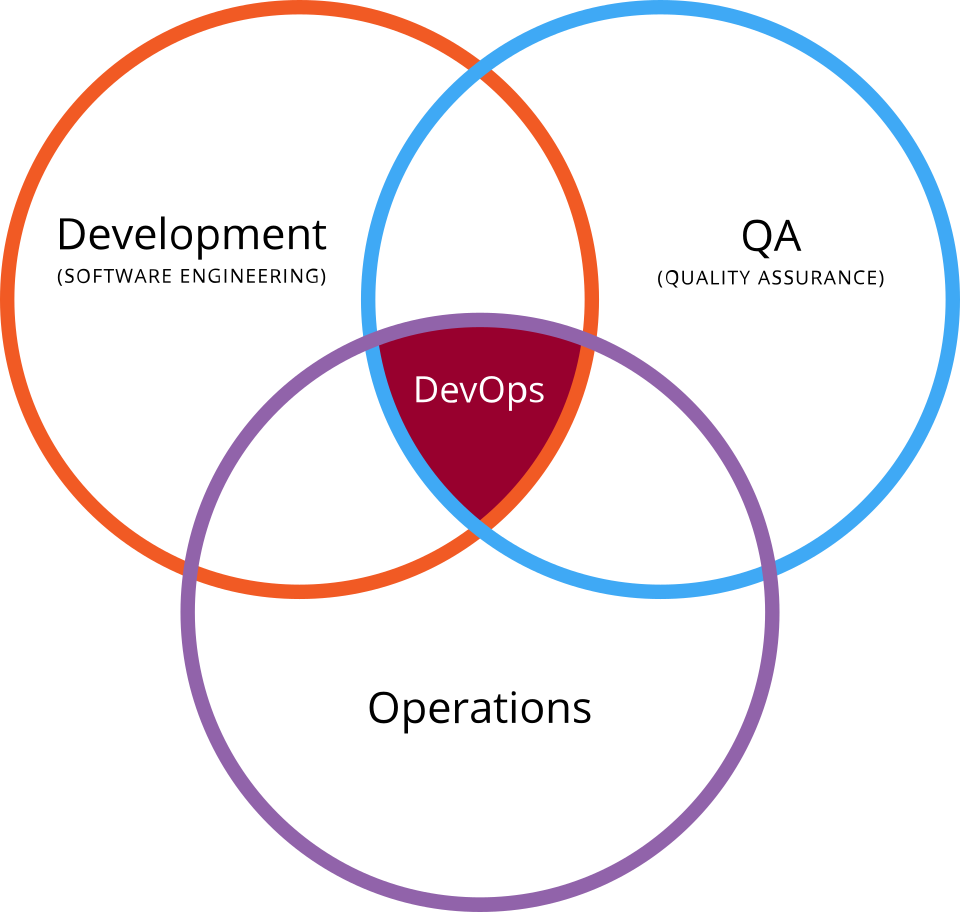
什麼是 DevOps?
DevOps 簡而言之,就是 Development + Operations ,也就是開發與維運。但大部分的文章都會說是「開發」「測試」「維運」三者的結合。如同下面這張圖想表示的意義一樣,當三者有了交集,即是 DevOps
DevOps 想要達成的目標為何?
從 Patrick Debois 發現的問題與參考葉大一句話囊括 DevOps 的目標一文,可以了解,最大的目標即為速度。「天下武功,唯快不破」,從發現需求到產品上線的時間越短,能得到的回饋與市場也就越大;但快還不夠,還要好,也就是要有品質!如果只有快,而沒有品質,只是更快把 bug 上線,並破壞企業名聲而已。如何兼顧速度與品質,即為 DevOps 的主要目標。 DevOps 到底在做什麼?
為何會出現 DevOps ,相信已經有個感覺了。那它究竟在做些什麼事呢?
有文章會提到用 CALMS 的角度來說明 DevOps 的要領,這是下列五個英文單字的縮寫:
- Culture
- Automation
- Lean
- Measurement
- Sharing
這是了解 DevOps 概念的好方向之一。
什麼是MLOps?-30 Days of MLOps
用最短的一句話來解釋它的話,MLOps 就是 Machine Learning 的 DevOps 在 Machine Learning 團隊中,除了資料科學家、資料工程師、DevOps 工程師作為固定班底外,協作單位還有產品經理、後端工程師等等。我們要讓所有人可以彼此良好的協作,這需要依賴更好的維運架構。除了最直覺想到的 Model 部署外,常見的挑戰還有例如:訓練 Model、測試與分析 Model、資料的預處理等等。

What is CI/CD
CI/CD工具也是為了此概念(DevOps)而產生的自動化工具,透過持續整合、持續部署的方式,在開發階段就自動協助開發人員偵測程式碼問題,並部署至伺服器
CI(Continuous Integration)持續整合
持續整合(Continuous Integration,CI)顧名思義,就是當開發人員完成一個階段性的程式碼後就經由自動化工具測試、驗證,協助偵測程式碼問題,並建置出即將部署的版本(Build)
CD(Continuous Deployment)持續部署
持續部署(Continuous Deployment)可以說是CI的下一階段,經過CI測試後所構建的程式碼可以透過CD工具部署至伺服器,減少人工部署的時間。
CI/CD工具1:GitHub
GitHub是眾所皆知的Git Server網站,其CI/CD服務稱為GitHub Action,提供了多項控制API,能夠幫助開發者編排、掌握工作流程,在提交程式碼後自動編譯、測試並部署至伺服器,讓每位開發者都能受惠於平台本身自有的CI/CD功能。
CI/CD工具2:GitLab
GitLab主要的服務是提供git版本控制系統,其CI/CD Pipeline功能簡單又實用,使用者只需要設定於專案根目錄下的「.gitlab-ci.yml」檔,便可以開始驅動各種Pipeline協助您完成自動化測試及部署。目前有提供GitLab CE(社群版)與 GitLab EE(企業版)兩種,使用者可以根據自己的需求選擇適合不同的方案。
CI/CD工具3:Anthos
由Google所推出的Anthos是一款能幫助企業迅速部署混合雲架構的跨雲管理平台。若是企業資源龐大且分佈於多雲環境,每一次的更新與維護都需要針對不同架構調整,將會大幅提升管理應用程式的負擔,而透過Anthos便可以將複雜的多雲環境以統一形式呈現,加速開發人員管理應用程式,一次完成多雲部署,建立更敏捷、高效的應用程式維運環境。
CI/CD VS DevOps
From ChatGPT: 簡單來說,DevOps 和 CI/CD 是有關聯但範圍不一樣的概念:
- DevOps(Development + Operations)是一個文化、理念、做事方法,目標是促進開發(Dev)和運維(Ops)團隊合作,加速產品從開發到部署的流程,讓軟體能更快、更穩定地交付。
- 內容可以很廣,包括:自動化部署、基礎設施即程式(IaC)、監控、回報機制、團隊溝通等等。
- CI/CD(Continuous Integration / Continuous Delivery or Deployment)則是實現DevOps目標的一組具體技術流程。
- CI(Continuous Integration):持續整合,指的是開發人員經常(一天多次)將程式碼推送到版本庫,並透過自動化建置、測試,確保每次提交都是穩定的。
- CD(Continuous Delivery / Deployment):
- Delivery:持續交付,指的是程式碼通過測試後可以隨時部署到生產環境,只是可能還要人手下指令。
- Deployment:持續部署,則是程式碼一通過測試就自動部署到生產環境,不需人工干預。 簡單一句話總結:
- DevOps 是一個大範圍的文化跟目標,CI/CD 是實現這個目標的方法和工具之一。